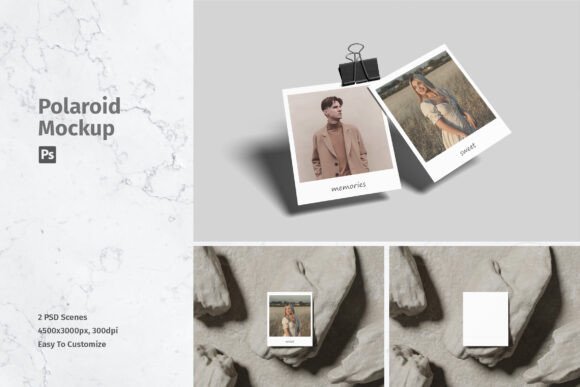
Polaroid Mockup: Elevating Your Design Presentation with Realistic 3D Displays
In the fast-paced world of digital design, the gap between a good idea and a successful project often lies in how that idea is presented. Clients, stakeholders, and audiences do not always possess the technical eye to visualize a flat graphic on a screen as a tangible object in the real world. This is where a Polaroid Mockup becomes an indispensable tool for designers, marketers, and entrepreneurs alike. By transforming your two-dimensional artwork into a realistic three-dimensional display, you bridge the communication gap and showcase your work with professional polish.
However, simply downloading a template is not enough. Many creators overlook critical details regarding file quality, usability, and proper implementation, leading to subpar results that can undermine their credibility. Understanding the nuances of these tools ensures you avoid common pitfalls and maximize the impact of your visual assets.
The Misconception of "Good Enough" Resolution
One of the most frequent mistakes beginners make is underestimating the importance of resolution. When browsing for resources, it is tempting to grab the first free file available, regardless of its specifications. This oversight can be detrimental when your design moves from a web preview to a high-stakes client presentation or print portfolio.
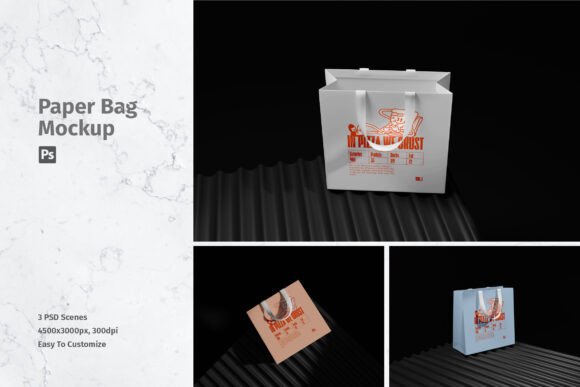
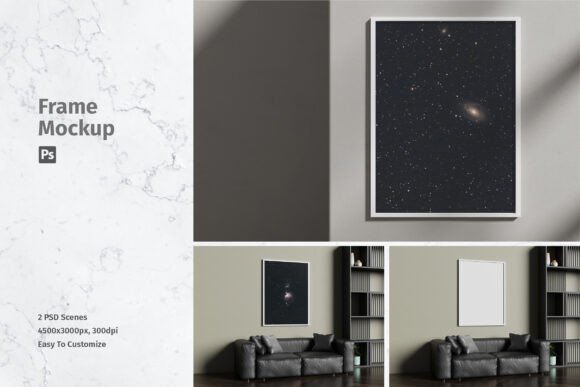
A low-resolution mockup may look acceptable on a small laptop screen, but it will appear pixelated and unprofessional when viewed on larger monitors or printed materials. To maintain clarity and sharpness, you should always prioritize files with high dimensions. For instance, a premium Polaroid Mockup typically offers a size of 4500x3000 pixels at 300 DPI. This specification ensures that every detail, from the texture of the paper to the subtle shadows cast by the frame, remains crisp and realistic. Ignoring these metrics can result in a blurry final image that fails to convey the quality of your actual design work.
Overlooking Smart Object Functionality
Another common error involves ignoring the technical features that make modern mockups efficient. In the past, designers had to manually distort and blend their designs to fit into perspective grids, a time-consuming process prone to human error. Today, the standard for professional tools is the inclusion of Smart Objects in Photoshop (PSD) format.
If you choose a file that lacks this feature, you are signing up for unnecessary frustration. Smart Objects allow you to replace the current design with your own within seconds. You simply double-click the layer, paste your artwork, save, and the mockup automatically updates with correct perspective, lighting, and shadows. Without this automation, you risk inconsistent alignment and unrealistic lighting effects that break the illusion of reality. Always verify that the product description explicitly mentions "Easy to use with Smart-Objects" before downloading or purchasing.
Neglecting File Organization and Support
It is easy to assume that all PSD files are structured similarly, but this is rarely the case. Poorly organized layers can turn a five-minute task into an hour-long scavenger hunt. A significant mistake is failing to check if the mockup includes a help file or clear layer naming conventions.
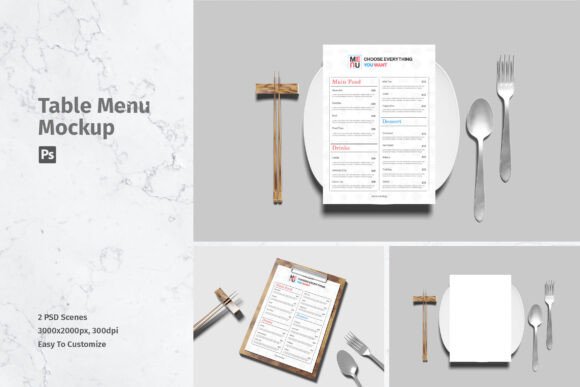
When you encounter a complex 3D display, having guidance on how to manipulate specific elements—such as background colors, shadow intensity, or frame angles—is crucial. A well-structured package usually contains multiple files to offer variety. For example, a robust kit might include 02 PSD files, giving you different angles or lighting conditions to suit various branding needs. Ignoring the availability of support documentation can lead to misuse of the tool, resulting in a final output that looks artificial or poorly composed.
Confusing Preview Assets with Included Content
A frequent source of confusion and dissatisfaction among new users is the expectation that all images seen in the promotional preview are included in the download. It is vital to understand that photos used in the preview are strictly for illustration purposes only. They are not part of the package.
This misunderstanding can lead to frustration when a designer tries to replicate a specific lifestyle shot seen in the marketing material, only to find blank frames. The correct approach is to view the mockup as a vessel for your own content. The value lies in the realistic rendering engine—the shadows, reflections, and textures—not the stock photography used to demonstrate it. By adjusting your expectations, you can focus on inserting your unique designs, which is the true purpose of the tool.
Best Practices for Professional Results
To ensure you get the most out of your Polaroid Mockup, consider adopting the following best practices:
- Check Compatibility: Ensure you have Adobe Photoshop installed, as these files are exclusively available in PSD format. Other software may not support Smart Object functionality correctly.
- Verify Dimensions: Before starting your project, confirm the file size is sufficient for your intended use. A 4500x3000 px canvas provides ample room for cropping and resizing without quality loss.
- Use High-Quality Source Art: The mockup can only enhance what you put into it. If your original design is low-resolution, the realistic 3D display will highlight those flaws rather than hide them.
- Experiment with Lighting: If the mockup allows, adjust the lighting layers to match the mood of your brand. A warm tone might suit a nostalgic campaign, while cooler tones work for modern, minimalist aesthetics.
Making the Right Choice for Your Workflow
Selecting the right mockup is about more than just aesthetics; it is about efficiency and professionalism. By avoiding the traps of low resolution, missing smart objects, and poor organization, you streamline your workflow and elevate your output. Remember that the goal is to showcase your designs professionally in a realistic 3D display. When you take the time to evaluate the technical specs—such as DPI, pixel dimensions, and file structure—you invest in your own reputation as a detail-oriented creator.
Whether you are a freelancer pitching to a new client, a small business owner updating social media, or a hobbyist sharing your latest creation, the right tools make a significant difference. A well-executed Polaroid Mockup does not just display your art; it tells a story of quality and care. By focusing on these practical aspects, you ensure that your final presentation is not only visually appealing but also technically sound, leaving a lasting positive impression on your audience.