Condom Mockup: Realistic 3D Design Display
In the competitive world of product packaging and branding, presentation is everything. Whether you are a graphic designer working on a new line of personal care products or a marketing manager preparing a launch campaign, the ability to visualize your design in a realistic setting is crucial. This is where a Condom Mockup becomes an indispensable tool. It allows you to bridge the gap between a flat digital concept and a tangible, market-ready product without the high costs and time delays associated with physical prototyping.
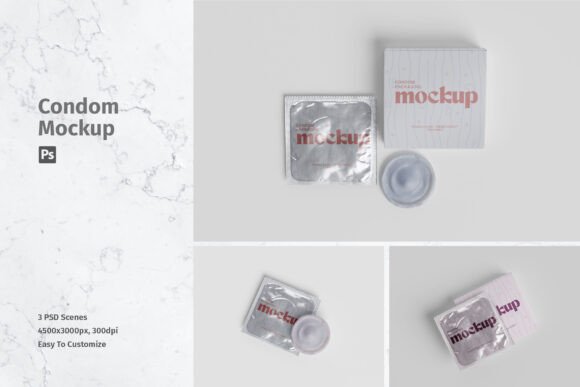
This item is suitable to showcase your designs professionally in a realistic 3D display. By using high-quality digital templates, you can present your artwork with precision, ensuring that stakeholders, clients, or customers see exactly how the final product will look on the shelf. The appeal lies in its efficiency and realism, offering a polished look that builds trust and enhances perceived value.
Why Professional Presentation Matters
For entrepreneurs and small business owners, first impressions often determine success. A poorly presented design can make even the best product seem amateurish. Conversely, a sleek, professional mockup can elevate a brand’s image instantly. Using a Condom Mockup helps you avoid common pitfalls such as awkward lighting, unrealistic shadows, or distorted perspectives that often occur when trying to photograph physical prototypes at home.
The main purpose of this tool is to provide a clean, controlled environment for your creativity. It supports goals such as securing client approval, creating compelling social media content, or designing eye-catching e-commerce listings. When potential buyers can clearly see the texture, fit, and finish of the packaging, they are more likely to engage with the brand. This level of detail is particularly important in sensitive markets where discretion and quality are paramount.
Key Features and Technical Specifications
Understanding the technical capabilities of your tools ensures you get the best results. This specific mockup resource is designed with user-friendliness and high-resolution output in mind. Here is what makes it stand out:
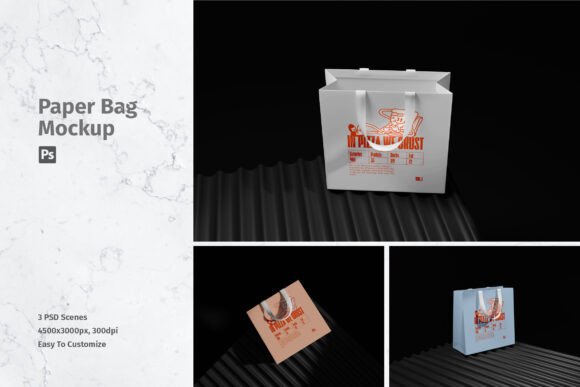
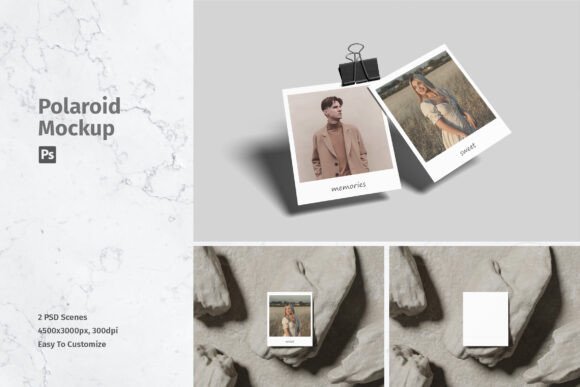
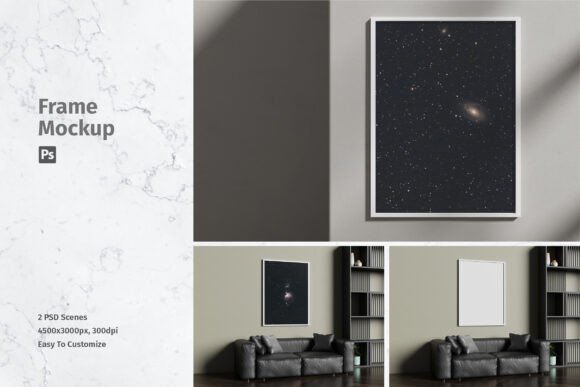
- High Resolution: The files are provided at 4500x3000 px size with 300 dpi. This ensures that your images remain crisp and clear, whether viewed on a retina display screen or printed in high-quality brochures.
- Smart-Object Functionality: Available in PSD Photoshop format with smart-object features, this tool helps you replace the current designs with your own within seconds. You do not need advanced warping skills; simply double-click the smart object layer, paste your design, and save.
- Versatility: The package includes 03 PSD file options, giving you variety in angles and lighting conditions to suit different promotional needs.
- Support: A help file is included to guide beginners through the process, ensuring that even those new to Photoshop can achieve professional results quickly.
It is important to note that photos used in the preview are not included; it is just for illustration purpose only. This means you will be inserting your own unique artwork, ensuring that the final output is entirely original to your brand.
Practical Uses for Designers and Marketers
The versatility of a Condom Mockup extends beyond simple product visualization. Here are several practical contexts where this tool adds significant value:
- E-Commerce Listings: Online shoppers cannot touch the product. High-quality 3D renders help compensate for this by providing a near-tactile visual experience. Use these mockups for Amazon, Shopify, or independent web stores to reduce return rates and increase conversion.
- Portfolio Development: For freelance designers, showcasing work in a realistic context demonstrates professionalism. Instead of displaying flat JPEGs of packaging art, present them in a lifelike 3D environment to attract higher-paying clients.
- Social Media Campaigns: Platforms like Instagram and Pinterest favor high-aesthetic visuals. A well-lit, realistic mockup can serve as the centerpiece for launch announcements, educational posts about sexual health, or brand storytelling.
- Pitch Decks and Presentations: When pitching to investors or retail buyers, a realistic product image conveys readiness and seriousness. It shows that you have thought through the branding details, from font placement to color psychology.
How to Use the Smart-Object Feature
One of the biggest advantages of this resource is its ease of use. You can replace the design easily and quickly using smart-object features. For beginners, this might sound technical, but the process is straightforward. Open the PSD file in Adobe Photoshop, locate the layer marked as a "Smart Object," and double-click it. This opens a new tab where you can place your logo, text, and background patterns. Once you save and close that tab, the main document updates automatically, wrapping your design around the 3D shape of the package with accurate perspective and lighting effects.
This workflow saves hours of manual editing. Without smart objects, you would need to manually distort and blend your design to match the curves and shadows of the package, a task that requires significant skill and time. With this tool, the complex rendering is done for you, allowing you to focus on the creative aspects of your design.
Important Considerations Before You Start
While the tool is powerful, there are a few things to keep in mind to ensure the best outcome. First, ensure your original design files are high resolution. Since the mockup is 300 dpi, inserting a low-resolution logo will result in a pixelated final image. Second, pay attention to color profiles. Screens display colors differently than print, so always check your CMYK values if the final goal is physical production.
Additionally, remember that the mockup provides the structure and lighting, but the emotional impact comes from your design choices. Consider the target audience when selecting colors and typography. In the realm of personal health products, clarity, trust, and sophistication are often key themes. Use the realistic 3D display to highlight these qualities effectively.
Finally, while the help file provides basic instructions, experimenting with different blending modes and adjustment layers in Photoshop can further customize the look. You might want to tweak the brightness or contrast to better match your brand’s aesthetic. The Condom Mockup is a starting point, but your creative input is what brings it to life.
By leveraging this efficient, high-quality resource, you can streamline your design process, enhance your professional portfolio, and present your products with the confidence they deserve. Whether you are a hobbyist learning the ropes or a seasoned marketer launching a new brand, this tool offers the perfect balance of simplicity and sophistication.